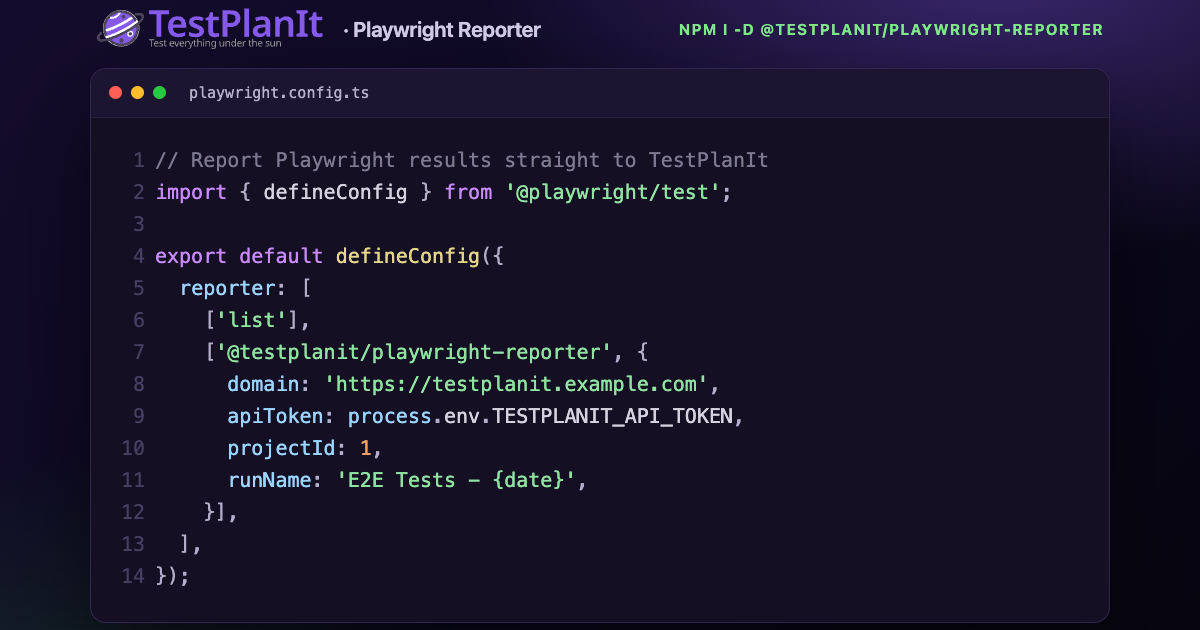
TestPlanIt 1.2: Failure Patterns, Alerts, Risk Scores, and Automation Rules

· 7 min read

TestPlanIt Team
Contributor

Today we're releasing TestPlanIt v1.2.0.

Automated testing's second act is the hard one. The suite goes red, and someone still has to work out whether that's one problem or forty, whether anyone is already on it, and whether the run will even get started. 1.2 is aimed squarely at that: it turns a wall of red into a short list of real problems, watches the metrics you care about so you hear about trouble before you go looking, and lets a merged pull request start the testing on its own. And when you can't run everything, it now scores every case on how much it deserves a run.

Three Questions Your Release Process Should Be Able to Answer

· 6 min read
Brad DerManouelian
TestPlanIt Contributor

It's the day before a release. Someone asks, "Did we test the new permissions model?" The room goes quiet, someone opens a spreadsheet, and someone else says "I'm pretty sure that got covered last sprint."

Every release raises the same three questions. Is it covered? What do we need to retest? Can we prove it? Most teams answer from memory. Memory is what goes quiet in that meeting, and it's what walks out the door when a senior tester leaves. Here's how to answer from records instead: what to produce, when, and for whom.

TestPlanIt 1.1: Requirements, Impact Analysis, and Automated Execution

· 12 min read
TestPlanIt Team
Contributor

Today we're releasing TestPlanIt v1.1.0.

Every release raises the same three questions: Is it covered? What do we need to retest? Can we prove it? 1.1 is built to answer them. Requirements management, our most-requested feature, ties every test to what it verifies. Impact analysis narrows a regression run to what actually changed, and automated execution runs that shortlist from the run itself, so a code change gets an answer in minutes instead of a full regression cycle. And a set of smaller additions removes friction your team feels every day.

Your Automated Tests Now Come With Steps

· 5 min read
Brad DerManouelian
TestPlanIt Contributor

Import a thousand automated test results into most test management tools and you get a thousand rows that say passed or failed — against a test name and nothing else. The "test case" is an empty shell. If you want it to actually describe what was tested, someone types the steps in by hand.

TestPlanIt now fills in those steps for you. When an automated result creates or matches a case, the case's Steps (each an action and its expected result) are derived from the automation that produced it — so your automated cases read like real, reviewable test cases instead of opaque green/red rows.

Generate Test Cases Without Leaving Jira

· 3 min read
Brad DerManouelian
TestPlanIt Contributor
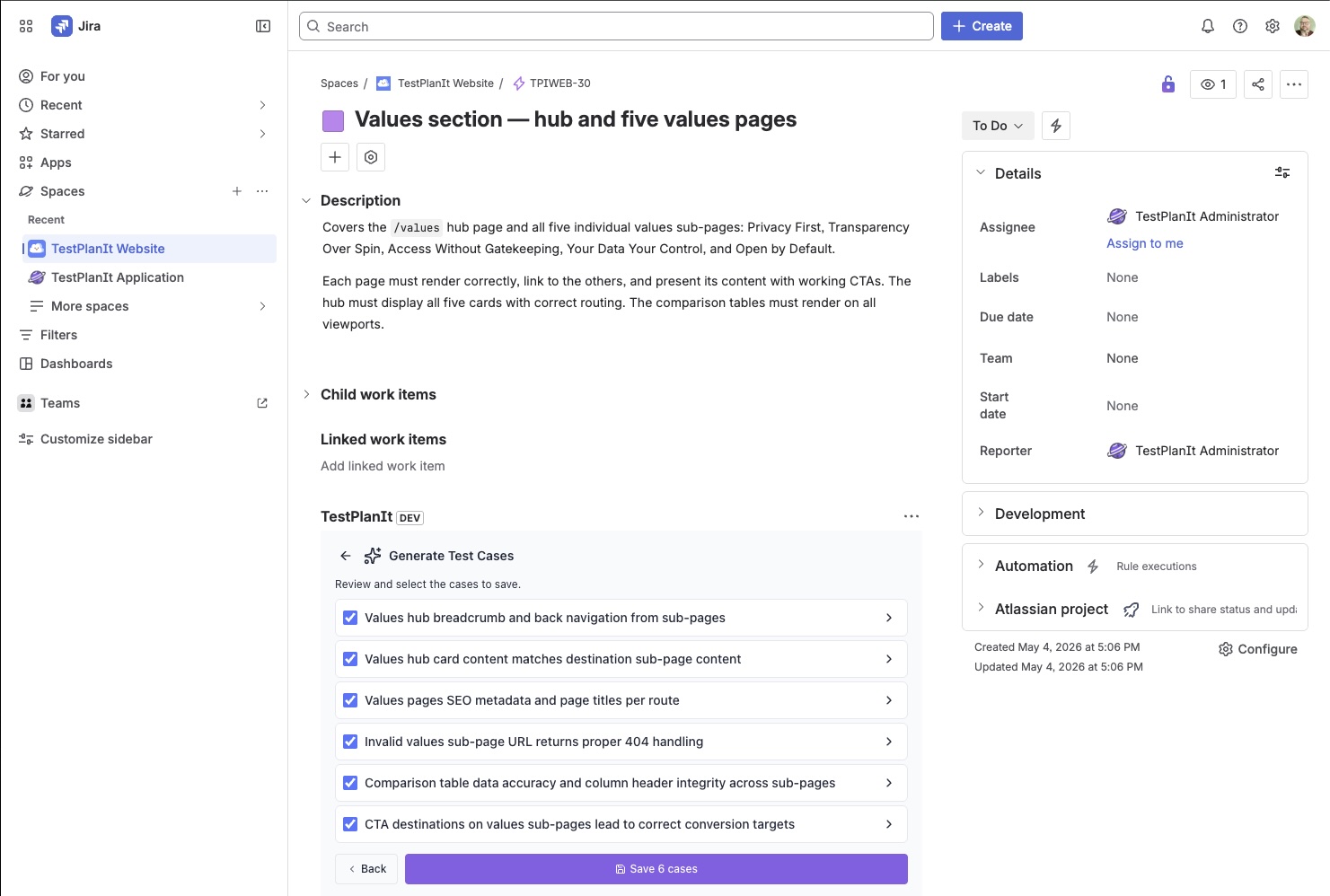
The TestPlanIt panel embedded in a Jira issue (TPIWEB-30), showing the Generate Test Cases review step: six AI-generated test cases with checkboxes — covering breadcrumb navigation, card content, SEO metadata, 404 handling, comparison-table integrity, and CTA destinations — above a purple Save 6 cases button.
Generated cases stream into the TestPlanIt panel right inside the Jira issue — review, select, and save without leaving the ticket.

Your team plans and triages in Jira. Now AI test case generation happens there too. The TestPlanIt for Jira app's issue panel has a new Generate Test Cases button: open a ticket, generate a suite of test cases from it, review them as they stream in, and save them straight into TestPlanIt — linked back to the issue — without a single context switch.

Introducing SCIM 2.0: Your IdP Just Got the Keys

· 5 min read
Brad DerManouelian
TestPlanIt Contributor

You hire someone. HR adds them to your identity provider. They walk into the office on Monday, sit down, open their laptop, and TestPlanIt is already there waiting for them — the right groups already attached, no "hey can you add me to the right project?" Slack DM.

That's the picture with SCIM 2.0. SAML put your IdP in charge of who can sign in to TestPlanIt; SCIM puts your IdP in charge of who exists at all.

Introducing Automation Candidates: Which Manual Test Should You Automate Next?

· 4 min read
Brad DerManouelian
TestPlanIt Contributor

You have hundreds of manual test cases and finite bandwidth to automate them. Which ones first? Most teams answer by gut feel — or by whichever case failed last regression. But the case that runs in every regression and recovers an hour of tester time each run beats the one that bit you last sprint and won't bite again for six months. You can't see that on a list.

TestPlanIt now ships Automation Candidates — an AI-ranked report that tells you which manual cases to automate next, with a one-sentence rationale for every case explaining why it landed where it did. Pick a strategy, click Run.